TrackPoint
A self-service inventory tracking and ordering system built from 0 to 1 for small-to-medium healthcare providers. Grounded in user research, it turns complex supply workflows into clear, simple tasks designed for the pace of everyday care.


- Role
- Product Design
- Product Strategy
- Key Milestone
- 2025 Q1 Kickoff
- 2026 Q2 Commercialization
- Key Tasks
- User Interview
- User Testing
- UX Design
- Product Onboarding
- Tools
- Figma / Figma Make
- HeyMarvin
- Copilot
01
Problem
Small and medium-sized healthcare providers rely on manual processes and disconnected tools to manage supplies and track patient usage. Limited visibility and fragmented workflows create extra work, make reordering harder, and increase the risk of inventory and billing errors.
Limited inventory visibility
Staff struggle to know what’s available and where supplies are stored across locations.
Manual, fragmented workflows
Spreadsheets, paper logs, and disconnected systems make tracking and reordering supplies time-consuming and error-prone.
Difficult patient usage tracking
Recording supplies and services used by each patient takes extra effort, complicating reconciliation and accurate billing.
02
Competitive Landscape
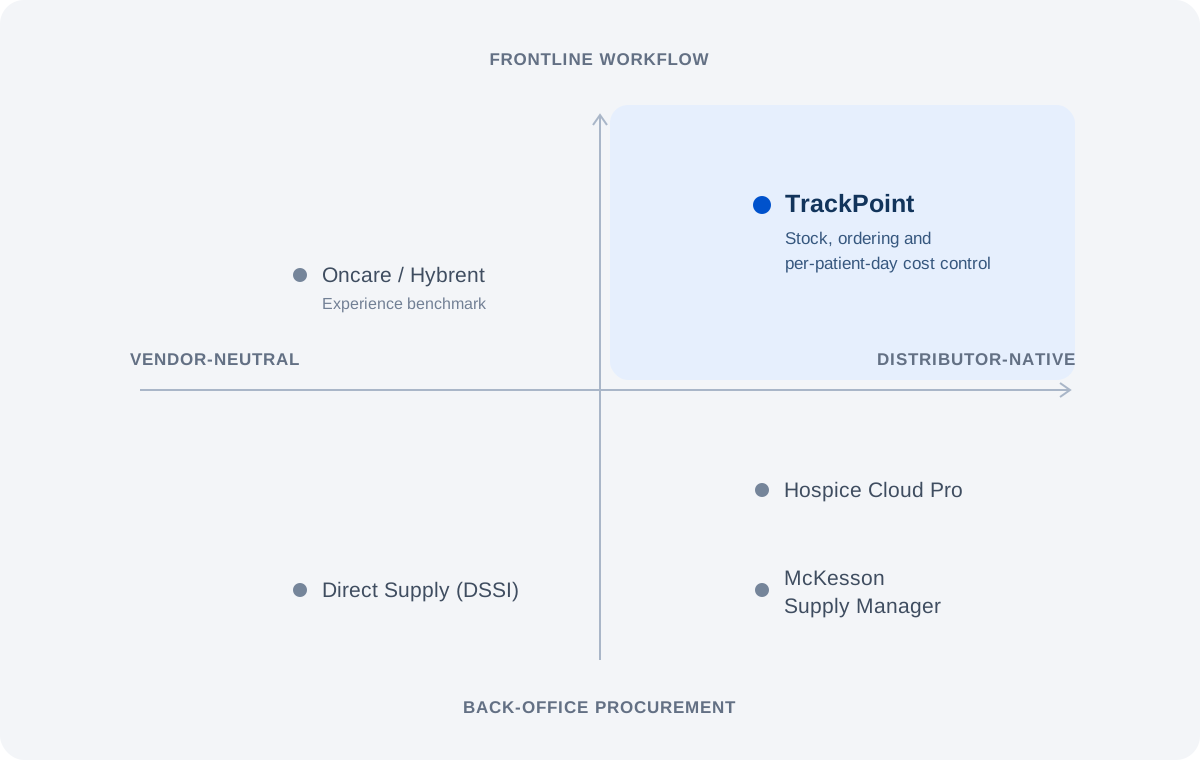
We mapped the competitive landscape across two dimensions: vendor-neutral versus distributor-native platforms, and back-office procurement versus frontline workflows. The opportunity for TrackPoint was to connect supply ordering with the everyday work of managing stock and supporting care.
Benchmark the experience
Our review included Oncare / Hybrent, Direct Supply (DSSI), Hospice Cloud Pro, and McKesson Supply Manager. Hybrent served as the benchmark for core functionality and ease of use.
Connect the daily workflow
TrackPoint’s intended focus combined self-service ordering, stock visibility, and per-patient-day cost control, bringing procurement closer to the needs of frontline teams.
Build on the Medline relationship
The strategy was to make Medline the default supply partner within a useful daily workflow, supporting adoption and continued use through practical value.
03
Our Customer & User
We conducted multiple rounds of one-on-one user interviews across non-acute care settings, including nursing homes, assisted living facilities, surgery centers, and a physician office. We explored their daily responsibilities and how they manage supplies, uncovering friction in inventory tracking, ordering, and staff communication.

14.7K
Nursing homes
Estimated market · ~$4.5B TAM
41.5K
Assisted living communities
Estimated market · ~$1.1B TAM
6.7K
Medicare hospices
Estimated market · ~$0.8B TAM
Estimated size of our initial target markets.
Key finding: simplicity is a strategic advantage
With an estimated 1.8% median margin for nursing homes and an average of 33 beds per assisted living community, our target customers operate with limited resources. We focused on a practical, easy-to-adopt workflow that fits the needs of smaller care providers.
Understanding the people behind the inventory
Our initial research included 10 participants across nursing homes, assisted living, surgery centers, and physician offices of different sizes. Through in-depth interviews, we explored daily responsibilities, how supplies were organized and moved, and where existing tools fell short.
Supplies were spread across rooms and floors, with staff relying on personal knowledge, shared notes, and informal communication to keep work moving. The needs differed by role: administrators needed reliable stock and ordering information, clinicians needed quick access during patient care, and directors needed visibility across locations. These findings shaped the three personas below.
Personas
Admin Adam
A materials manager balancing supply availability and costs. Needs clearer stock visibility and reliable ordering information.
Clinician Claire
A clinician juggling patient care and inventory tasks. Needs a simple way to find supplies and track changes without relying on memory or manual notes.
Director Dan
A leadership persona representing oversight of care teams and facility operations.
04
Challenge
The challenge was designing a simple, consistent experience amid complexity inside and outside the organization. Internally, we had to navigate fragmented data and a complex technology stack without compromising usability. Externally, differences in facility environments, supply organization, and daily routines required a solution flexible enough to support varied workflows.
05
Solution
We expanded beyond the screen to connect digital workflows with the physical work of managing supplies across care locations. By grounding the experience in how users understand locations, units of measure, and patient information, we designed a system that fits how they organize and carry out their daily work.

01
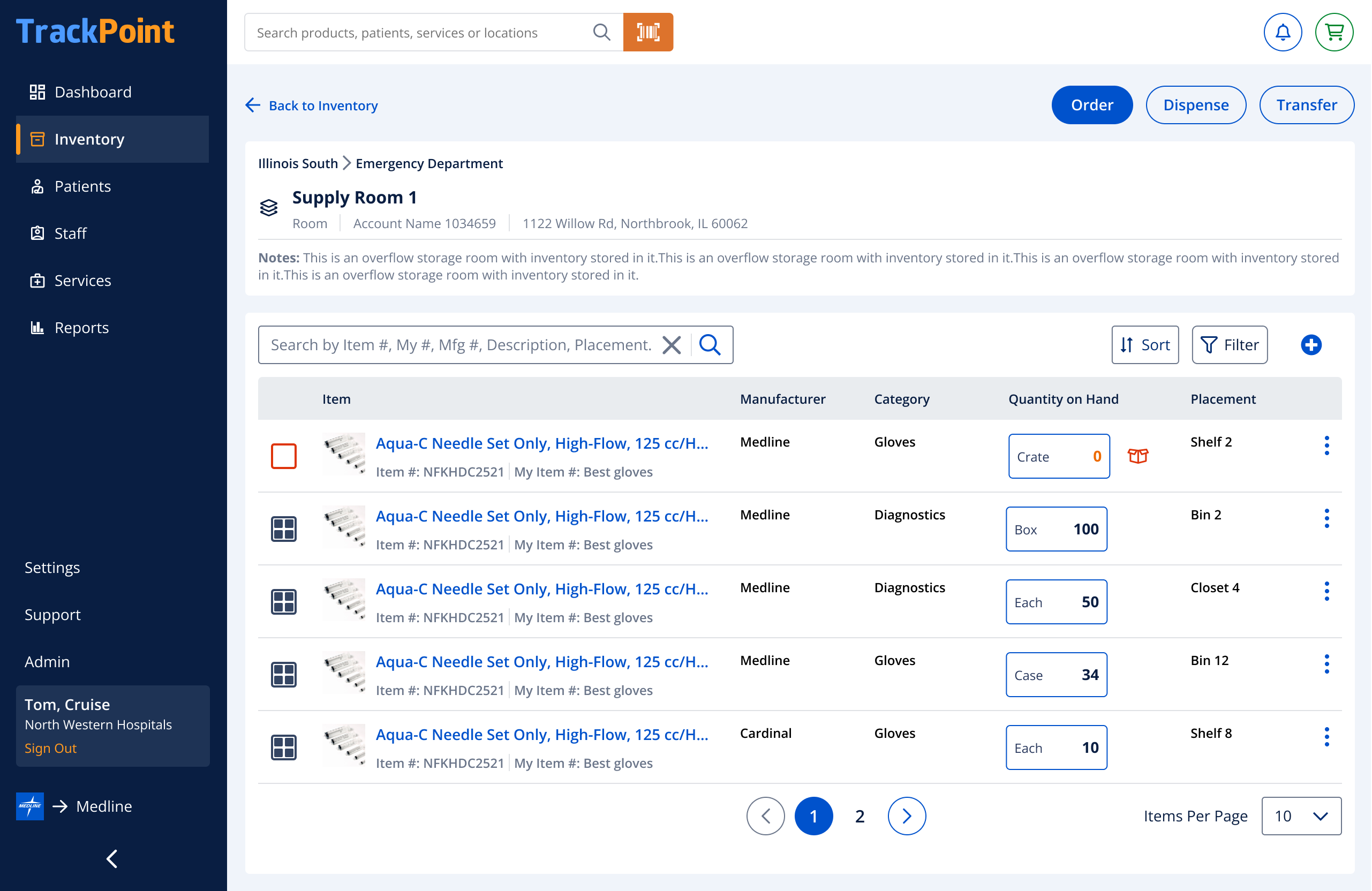
Customer Semantic Model: Product and Location
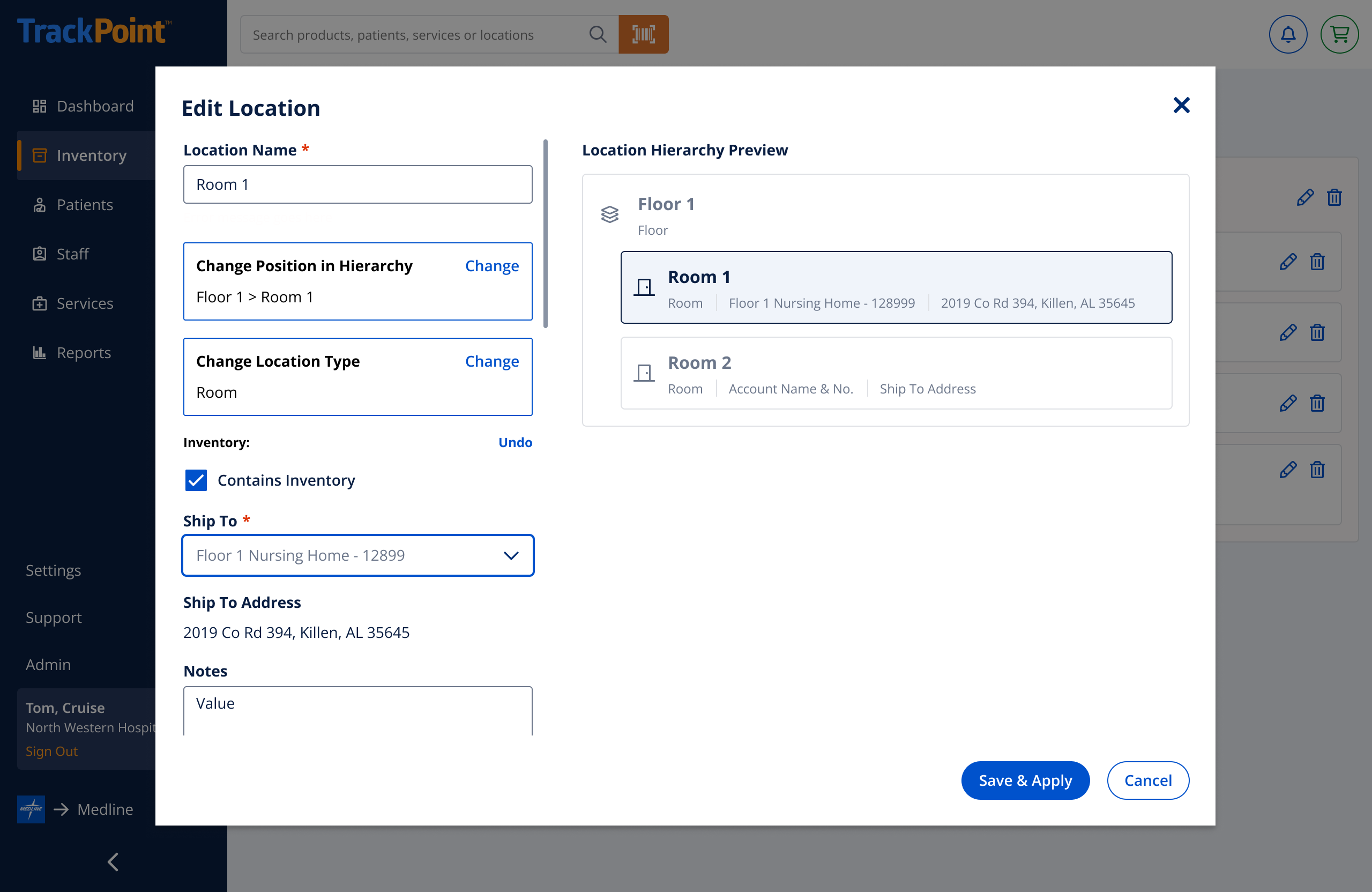
We combined in-depth customer interviews and ride-alongs with broader service research to understand how inventory work fits into everyday care. We examined physical spaces, staff responsibilities, supply movement, and the operational challenges surrounding ordering, storage, and patient use.
The research revealed that product terminology was relatively consistent, while location names and storage practices varied across facilities. Supplies could live in central rooms, utility closets, carts, or patient-specific drawers. Finding and moving them often depended on staff knowledge, informal communication, and manual records.
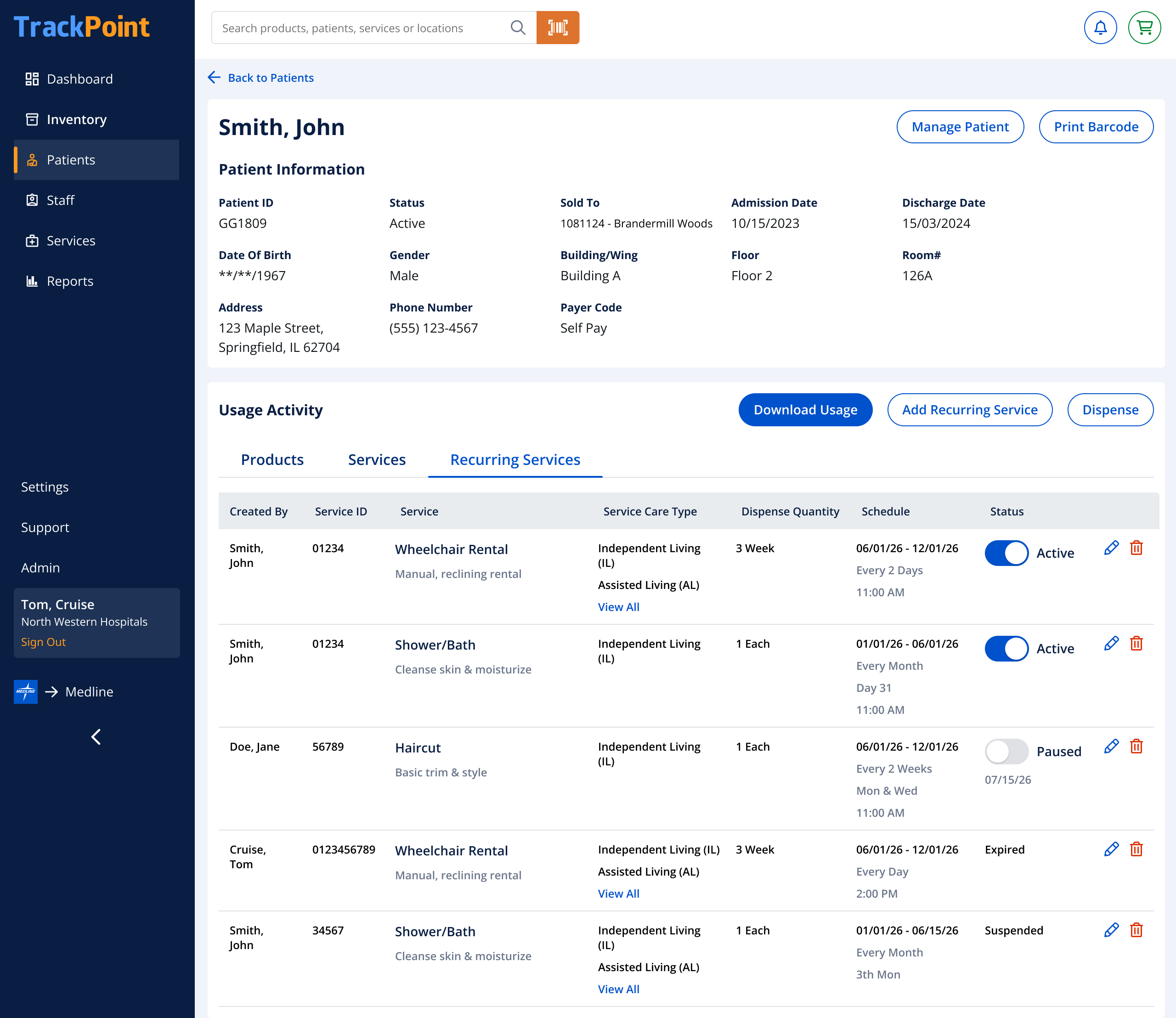
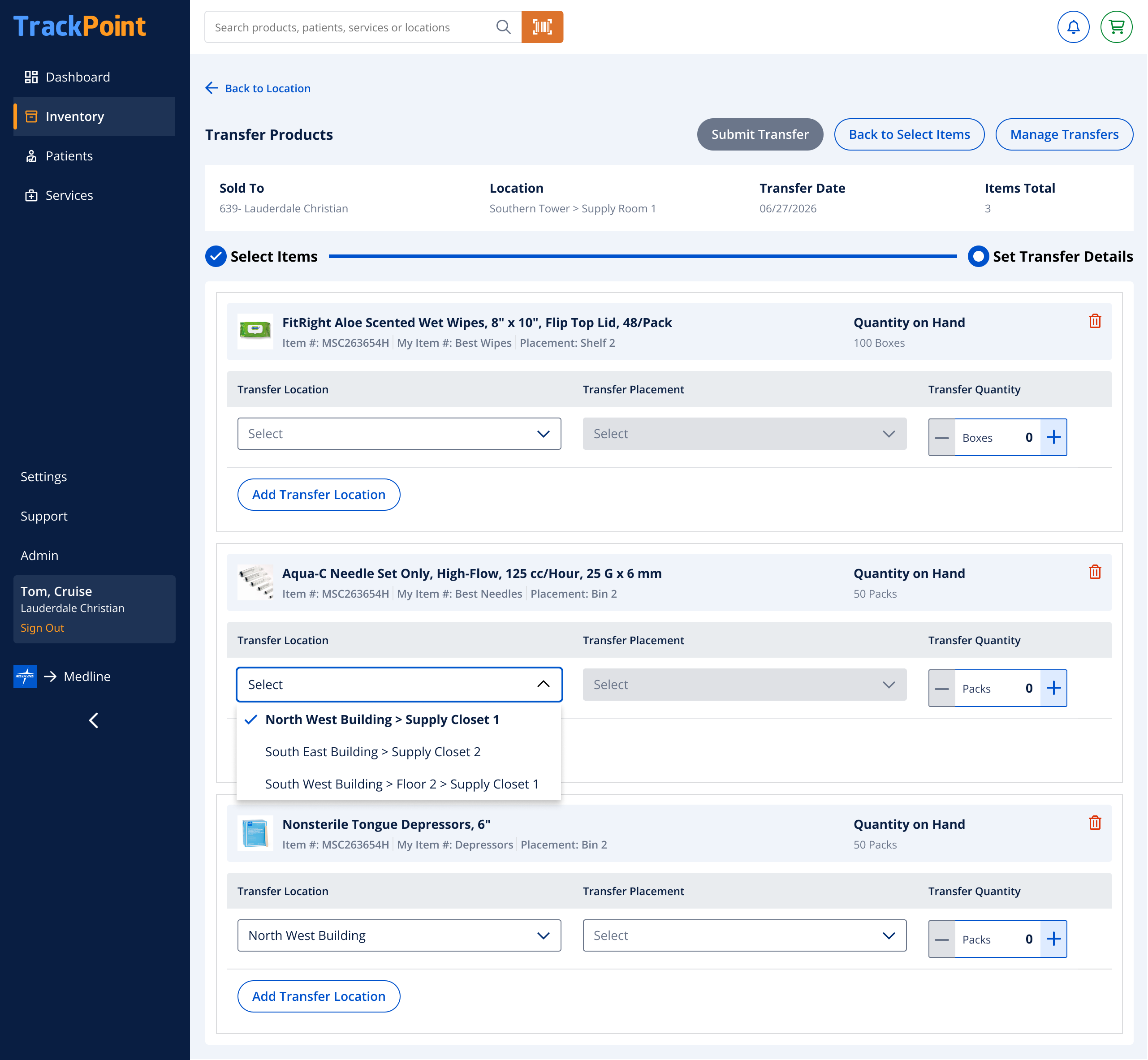
These insights informed a customer semantic model connecting products to the places and tasks people already understood. Flexible location hierarchies and familiar terminology help represent each facility’s organization, while product transfers and patient usage connect inventory activity across those spaces. The aim was to make TrackPoint fit the way care teams work in the physical world.
02
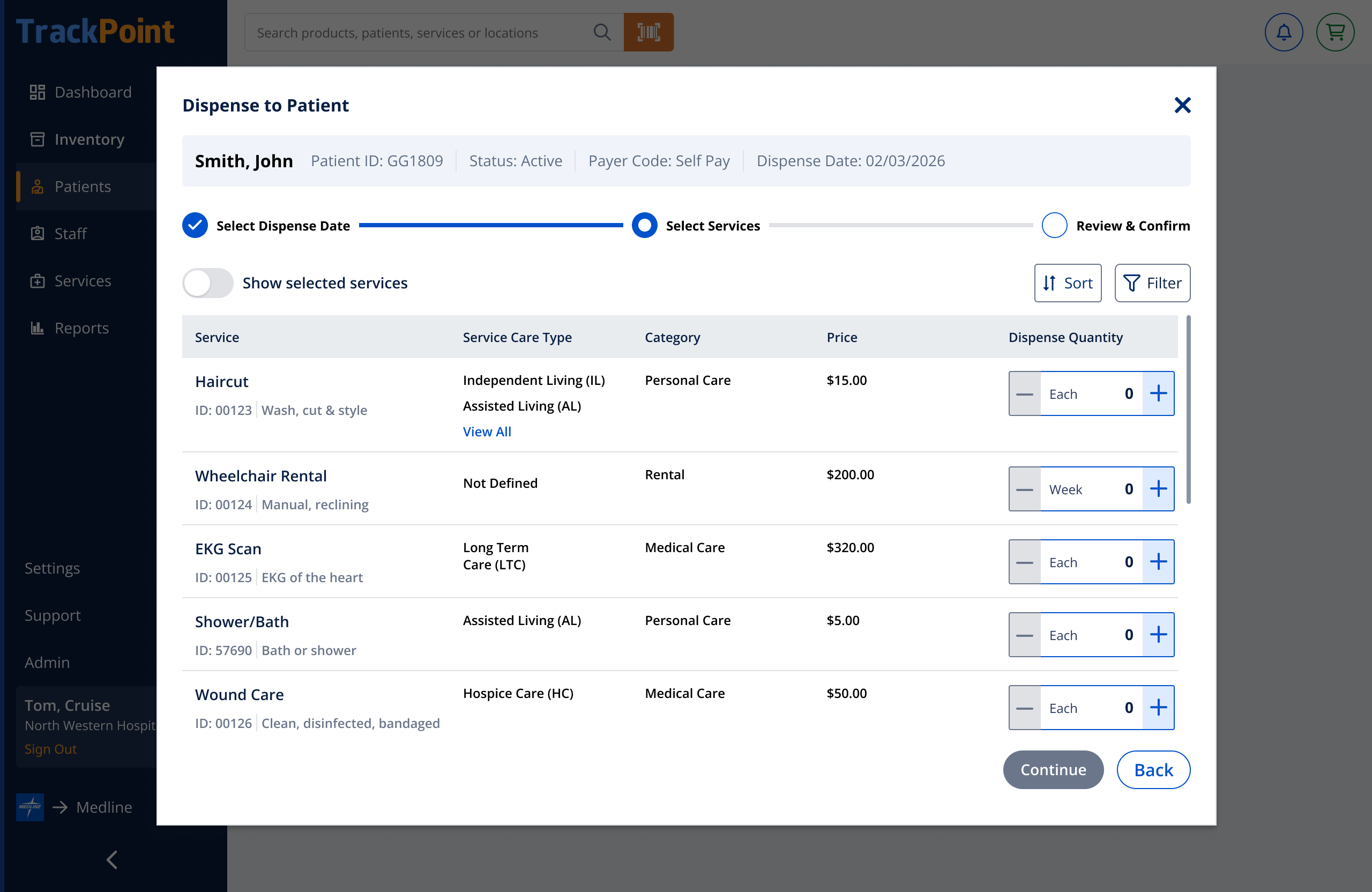
Unit of Measure: Add, Track & Dispense
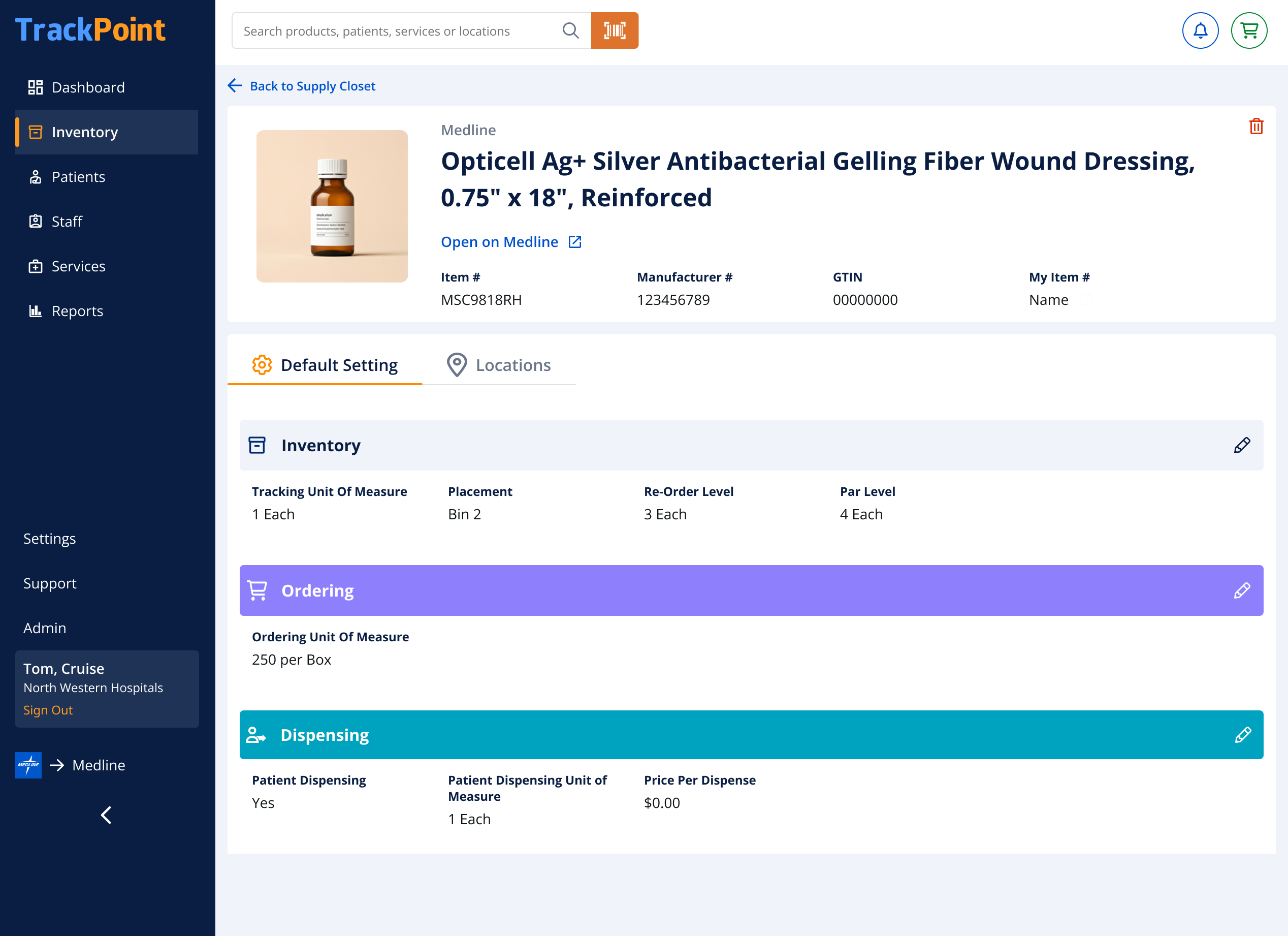
The same product can be ordered, stored, and dispensed in different units. A nurse might order gloves by the case, stock them by the box, and record individual gloves when dispensing. Each unit reflects a different task, so a single unit of measure cannot represent the entire workflow.
The challenge extended beyond the interface. We had to account for how product, packaging, and quantity data were stored in the underlying system, and how those records related to the units customers used in practice. Ordering, tracking, and dispensing needed explicit relationships and reliable conversion rules so that a change in one unit could be reconciled with the others.
Our design separates these settings and makes the relevant unit visible at each step. Staff can work in the terms that make sense for their task, while the system maintains the relationships needed to keep inventory and usage records aligned. The goal was to accommodate operational complexity without making users translate between the data model and their daily work.